School Safety Operations Platform: Why Safety and Ops Can't Live in Separate Tools

Most K-12 schools run two disconnected tool stacks: one for emergency response and one for daily operations. A school safety operations platform closes that gap - but the category barely exists yet, and the consequences of the split are more serious than most administrators realize.
The Two-Silo Problem Hiding in Plain Sight
Safety vendors built for crises. Operations vendors built for workflows. Neither crossed into the other's territory. The result is structural blindness: a school can have a best-in-class panic button and a best-in-class ticketing system and still have no mechanism to connect a deferred lock repair ticket to a lockdown risk.
According to EdTech Magazine (2024), one district was running 250+ tools simultaneously - a fragmentation level that makes cross-system awareness practically impossible for any staff member. The gap isn't a feature gap. It's a category gap. No major K-12 vendor has explicitly positioned itself at the intersection of emergency response and daily operations.

How Do Daily School Operations Failures Lead to Safety Incidents?
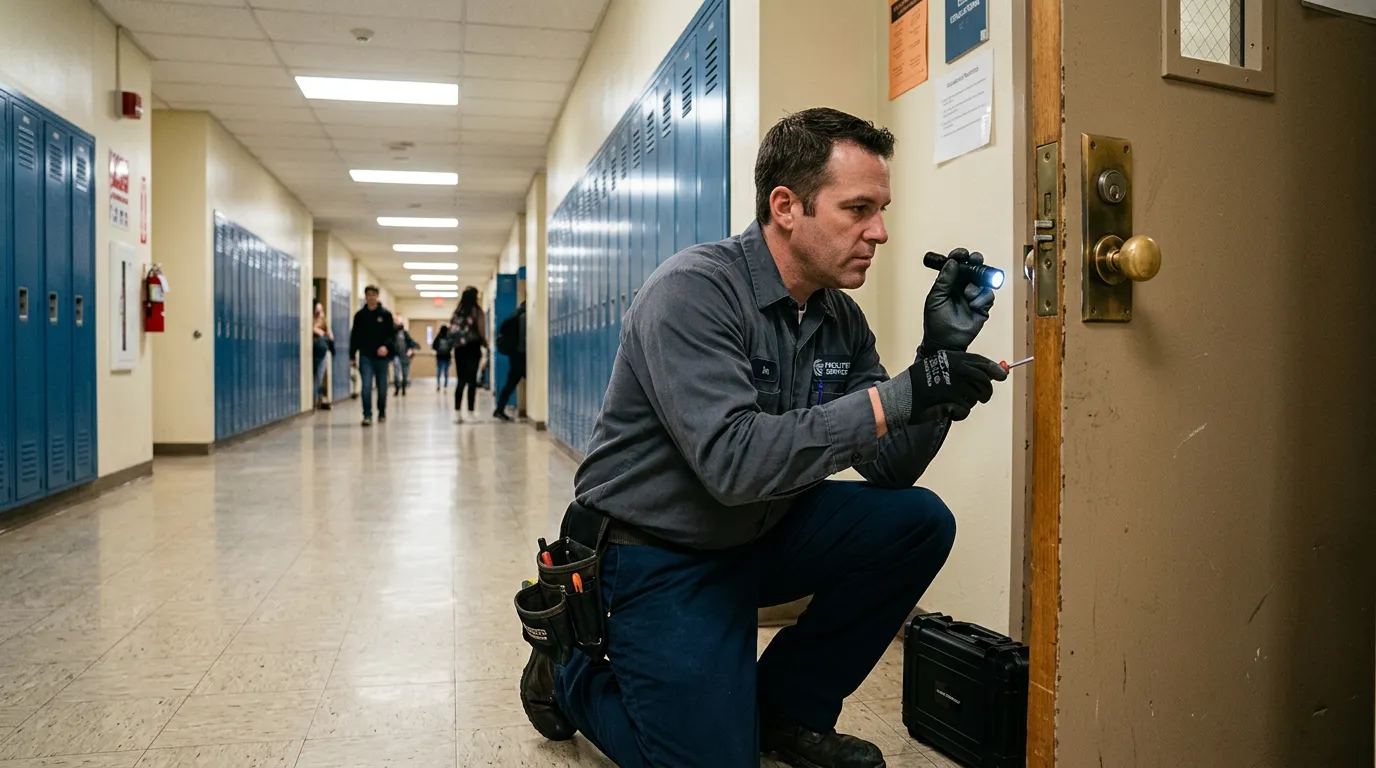
Deferred maintenance tickets are not administrative inconveniences - they are latent safety vulnerabilities. A door lock flagged as malfunctioning but unresolved for 14 days is an unlocked entry point during a lockdown.
Offline cameras create a real-time intelligence gap: during an active incident, administrators and first responders lose visibility into the exact zones where the feed has been down for days. Overdue AED inspections and expired fire suppression certifications are asset management failures that become life-safety failures the moment a medical emergency occurs.
When operations ticketing and safety response live in separate platforms, no automated mechanism exists to escalate an unresolved maintenance item into a safety alert. According to RapidSOS, disconnected systems create "dangerous delays" when 911 is called because critical camera and access control data "stays locked in your system" rather than reaching first responders in real time.
What Is the Difference Between a School Safety Platform and a School Operations Platform?
A school safety platform is designed for emergency response: triggering lockdowns, alerting staff, and coordinating with first responders. Its activation context is a crisis already in progress.
A school operations platform is designed for daily workflow management: IT tickets, facilities work orders, asset tracking, and maintenance scheduling. Its activation context is routine campus administration.
The critical distinction is temporal. Safety platforms activate reactively after a threat is identified. Operations platforms function proactively before a threat materializes. A unified school safety operations platform closes the gap by connecting proactive operational data to reactive safety workflows - so an unresolved facilities ticket for a broken exterior door lock surfaces as a safety-relevant flag in the emergency response dashboard, not silently in a separate ops queue.
According to K-12 Dive (2024), unified platforms "consolidate alerts so risks can be triaged and assigned to specific roles for rapid action" - a capability that only exists when safety and operations data share a common system of record.
Safety Platform vs. Operations Platform vs. Unified Platform: A Side-by-Side Comparison
| Capability | Safety Platform | Operations Platform | Unified Platform |
|---|---|---|---|
| Emergency alerting and lockdown triggers | Yes | No | Yes |
| 911 dispatch coordination | Yes | No | Yes |
| IT and facilities ticketing | No | Yes | Yes |
| Asset maintenance tracking | No | Yes | Yes |
| Escalate open ticket to safety alert | No | No | Yes |
| Live camera feeds in emergency dashboard | Varies | No | Yes |
| Access control status during incidents | Varies | No | Yes |
| Role-based views for teachers, facilities, admins | No | Partial | Yes |
| Single system of record for ops and safety | No | No | Yes |
Pure safety platforms handle emergency alerting but have no visibility into the operational conditions that precede emergencies. Pure operations platforms manage tickets and assets but have no mechanism to escalate an unresolved issue into a safety workflow. A unified platform connects both layers - and critically, keeps all relevant data in one view so staff don't context-switch between systems during high-stress situations.
The Anatomy of a Unified School Safety Operations Platform
A unified platform must include at minimum: emergency response workflows (panic alerts, lockdown triggers, fire and medical protocols), direct-to-dispatch communication that bypasses call centers to reach 911 with real-time campus data, and daily operations management covering ticketing, asset tracking, and maintenance scheduling.
Campus monitoring infrastructure - camera feeds, access control status, live lock monitoring - must surface in the same dashboard used for emergency coordination. Role-based access is essential: a teacher, a facilities technician, an IT director, and a safety director all need different views of the same underlying data without navigating to a separate system.
SIS integration connects student roster data to emergency workflows, enabling real-time headcount during evacuations. Asset management within a unified platform closes the inspection gap: when AED certifications, fire extinguisher service dates, and door hardware maintenance intervals are tracked in the same system as emergency response, overdue items surface as safety flags before they become incident factors.

What Happens When Operations and Safety Data Share a Single System of Record
When ticketing and emergency response share a platform, an unresolved high-priority facilities ticket - malfunctioning door hardware, for example - can be automatically flagged in the safety dashboard, converting a passive ops item into an active safety awareness signal.
Unified asset management means that when an emergency is triggered, the responding safety director can immediately see which AEDs are in-service, which cameras are live, and which communication devices are assigned to staff in the affected zone. Post-incident reporting also becomes more complete: the timeline of a safety event can include when the related maintenance ticket was opened, when it was escalated, and whether it was resolved before the incident occurred.
According to K-12 Dive (2024), unified platforms reduce support burden by consolidating alerts into a single triage and assignment workflow - a finding that applies equally to safety alerts and operational issue queues when they share the same system.
Frequently Asked Questions: School Safety Operations Platforms
What is a school safety operations platform?
A school safety operations platform is a unified K-12 system that combines emergency response workflows, daily operations management (ticketing, asset tracking, facilities), and campus monitoring infrastructure in a single system of record - so operational data informs safety readiness and safety workflows draw on real-time operational context.
How do daily school operations failures lead to safety incidents?
Unresolved maintenance tickets, offline cameras, and overdue equipment inspections are operational failures that become safety vulnerabilities. When these issues live in a separate platform from emergency response, no automated mechanism exists to escalate them into safety alerts before an incident occurs.
Should schools use the same platform for IT ticketing and emergency response?
Yes. When IT ticketing and emergency response share a platform, unresolved high-priority issues - like a broken door lock - can automatically surface as safety flags. Separate platforms require a human to manually bridge two systems, typically under no urgency, until it's too late.
What's the difference between a school safety platform and a school operations platform?
Safety platforms activate reactively during crises. Operations platforms function proactively for daily workflows. The critical gap is that neither connects to the other - meaning the operational conditions that precede emergencies are invisible to the safety response layer.
How can school facilities management software improve campus safety?
By tracking maintenance intervals, flagging overdue inspections, and escalating unresolved high-priority tickets to safety leadership - facilities management software becomes a proactive safety tool when it shares a system of record with emergency response workflows.
What does a unified K-12 school safety and operations system include?
At minimum: emergency alerting and lockdown workflows, direct-to-dispatch 911 coordination, IT and facilities ticketing, asset maintenance tracking, live camera and access control integration, SIS-based roster management, and role-based access for all staff roles.
How do schools connect their cameras, access control, and emergency workflows in one place?
Through a unified platform that maps camera feeds and access control status directly into the emergency response dashboard. Open RTSP-compatible camera support and generic access control integration means schools connect existing hardware without rip-and-replace.
What school safety software works for both administrators and facilities teams?
Software with role-based access that surfaces different views from the same data layer: administrators see high-level campus status and open safety-priority tickets; facilities teams see granular work orders and asset maintenance schedules. Both audiences need a system operable under stress without training recall.
The Category Gap Is the Risk
The two-silo problem isn't a technology limitation - it's a market artifact that schools are paying for in operational blind spots and deferred safety risks. Every day a broken door lock sits in an ops queue invisible to the safety director is a day that gap is open. The schools that close it first won't just be more efficient - they'll be genuinely safer.
If you'd like to see how QuickSecure approaches this, we'd love to talk.
Sources
- K-12 School Management Software | Incident IQ
Connect IT, Facilities, and more in one platform — pure ops framing with zero connection to emergency response or physical safety outcomes. Establishes the ops-only camp QuickSecure's post should challenge.
- School Safety Platform & 911 Data Integration | RapidSOS
Acknowledges that 'disconnected systems and a lack of a direct data path to 911 can create dangerous delays' and that schools with cameras and access control find critical data 'stays locked in your system' when 911 is called — validates the integration gap QuickSecure solves.
- The power of unified cybersecurity and safety systems in K-12 education | K-12 Dive
Argues unified platforms 'consolidate alerts so risks can be triaged and assigned to specific roles for rapid action' and reduce support burden — supportive of QuickSecure's unified-platform thesis with a citable authority source.
- Kokomo24/7 — K-12 School Safety and Security Software
Primary competitor claiming 'schools consolidate an average of 3.4 vendors' — useful for framing the problem scale, and to contrast that Kokomo is still software-only with no hardware or direct 911 dispatch.
- Help Desk Software for Schools: Unified for Facilities, IT, Events — FMX
Consolidates IT, facility management, and event scheduling — but has no safety response layer. Perfect illustration of the 'ops-only' silo that leaves safety workflows disconnected.
- What Happens When K–12 IT Leaders Consolidate Their Schools' Ed Tech? | EdTech Magazine
Confirms 'juggling too many tools leads to staff that's stretched thin' and that one district found 250+ tools in use — strong editorial evidence for the consolidation pain point QuickSecure addresses.